llama.cpp --cpu-moe on RTX 4070: Qwen 2.8x tok/s
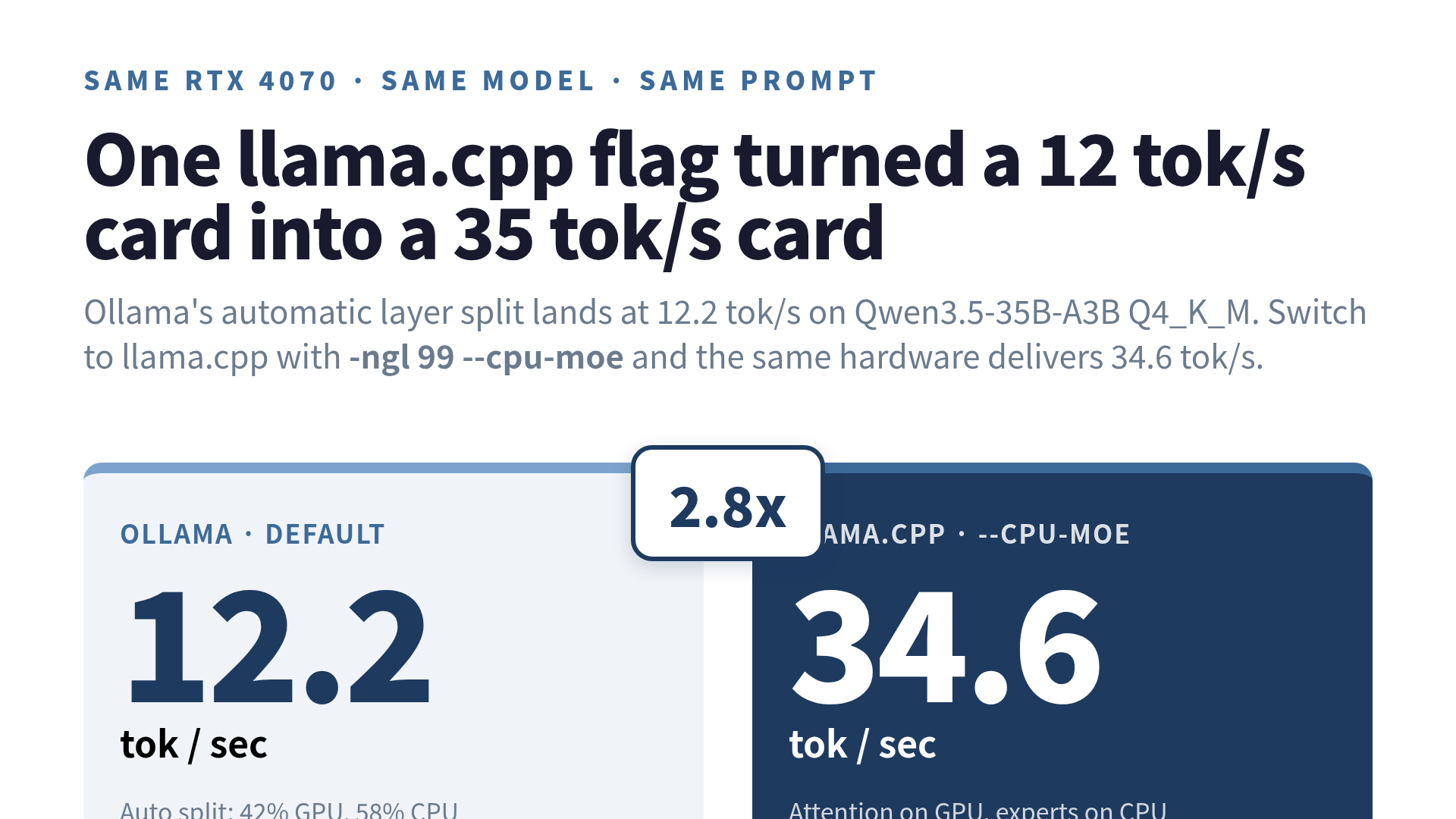
I spent a week price-checking RTX 4090s because Ollama told me my 4070 could only do 12.2 tokens per second on a 35B model. The cart was loaded. Then I switched runtimes, flipped two flags, and got 34.6 tokens per second on the exact same hardware. That is 2.8x, on the exact same card, the exact same weights, the exact same prompt.
The flags were -ngl 99 and --cpu-moe, both passed to llama-server in llama.cpp. That is the entire change. The flag I want to talk about is the second one. It does the opposite of what you would guess, which is why every “just use Ollama” tutorial in 2026 is quietly leaving 2.8x on the table for MoE models.
This is not a “I beat the default” gloat post. It is a measured sweep with the conditions written down, because the only thing more annoying than a slow LLM is a fast-LLM number you cannot reproduce.
The hardware and the model
RTX 4070, 12 GB of VRAM. 31 GB of system RAM. WSL2 on Ubuntu 24.04, CUDA 12.9. The model is Qwen3.5-35B-A3B in Q4_K_M quantization. That last bit matters: A3B means it is a mixture-of-experts model with about 3 billion active parameters per token, even though the total is 35B. The quant file is 20.49 GiB on disk.
A 20 GiB model has no business running on a 12 GB card. Ollama makes it work anyway, by splitting layers between GPU and CPU on the fly. The split it picks is roughly 42% GPU, 58% CPU. VRAM sits at 11.4 GB. Generation speed lands at 12.2 tok/s.
That is not a broken number. For a dense 35B model on 12 GB of VRAM, 12.2 tok/s would be respectable. The problem is this is an MoE model, and Ollama’s automatic split was never designed for the shape of MoE compute.
The “wrong” flag that wins
In llama.cpp, you set -ngl 99 to tell the runtime to put all model layers on the GPU. The 99 is idiomatic for “all”; the model only has 40 layers, so anything past 40 means the same thing. On paper, this is impossible. The weights do not fit in 12 GB.
Then you add --cpu-moe. This says: of all those layers you just told me to put on the GPU, take the MoE expert tensors and put those on the CPU instead. The result is a split where the GPU holds attention layers and the KV cache, and the CPU holds the sparse experts.
Same hardware, same model, same prompt. Generation speed: 34.6 tok/s. VRAM: 11.7 GB, which is 95% of what the card has.
The first time I saw this number I assumed I had broken the benchmark. I had not. The reason it works is structural, not magical.
- Expert compute is sparse. For Qwen3.5-35B-A3B, each token routes to 8 of 256 experts (plus 1 shared expert). The CPU can chew through those small matmuls per token without breaking a sweat.
- Attention and the KV cache, on the other hand, are bandwidth-bound. The 4070’s memory bandwidth is in the hundreds of GB/s. CPU DDR5 is in the tens. Whatever sits in VRAM gets the fast lane.
- If you try to fit experts in VRAM too, you push attention and KV cache off the GPU, and the bandwidth-hungry parts run at CPU speed. Everything collapses.
The optimal division of labor is “bandwidth-hungry on the GPU, sparse compute on the CPU.” Ollama’s default does the opposite by accident, because its split heuristic does not know that expert layers are special.
The full offload sweep
If “experts all on CPU” is faster than “experts all on GPU,” is there a sweet spot in the middle? I held -ngl 99 constant and walked the number of MoE layers kept on CPU (-ncmoe, which is the underlying form of --cpu-moe) down from 48 to 24. Here is what llama-bench reported for tg128 (128-token generation) over 3 trials.
| n_cpu_moe | Experts on GPU | tg128 (tok/s) | vs Ollama |
|---|---|---|---|
| 48 | 0 (all CPU) | 34.60 | 2.8x |
| 44 | 4 | 27.19 | 2.2x |
| 40 | 8 | 16.88 | 1.4x |
| 36 | 12 | 15.29 | 1.3x |
| 32 | 16 | 14.06 | 1.2x |
| 28 | 20 | 12.85 | 1.1x |
| 24 | 24 | 11.71 | 0.96x |
It is a clean monotonic curve. Every expert layer you drag back onto the GPU costs throughput. By the time half the experts are on the GPU, you have dipped below the Ollama default you were trying to beat.
The lesson is uncomfortable: “use as much VRAM as you can” is the wrong instinct for MoE. The correct instinct is “use VRAM for what bandwidth helps, and let the CPU eat the sparse stuff.”
Reproducing the number
The 34.6 tok/s is not a gift; you reproduce it or you do not have it. The commands I used were straight out of llama.cpp’s CUDA build.
cmake -B build -DGGML_CUDA=ON
cmake --build build --config Release -j

./build/bin/llama-bench -m qwen35.gguf -ngl 99 -ncmoe 48 -n 128 -r 3
./build/bin/llama-server -m qwen35.gguf -ngl 99 --cpu-moe -c 4096
-r 3 tells the bench tool to average over three runs and report standard deviation. If the std-dev is large, the number is not real yet; something else is fighting you for VRAM or for CPU cores.
A note on flag names. The llama.cpp project has shipped two near-equivalent ways to express this idea in the last six months: --cpu-moe as a convenience shortcut, and the more flexible --override-tensor regex form. If you are on a fresh build today, --cpu-moe is the one that wins on ergonomics. If you are scripting an older release, double-check the flag is still spelled the way you remember; this surface area moved twice in 2026.
Where the number breaks
Three things will quietly steal your reproduction:
VRAM contention. The 95% VRAM headline means there is no room for a Chrome tab with a WebGL demo, a stable diffusion process you forgot about, or a second copy of llama.cpp from yesterday. Before I ran any of these benches, I killed every other process that touched the GPU. If you skip this, attention layers spill, and your fast number turns into a slow one.
Quantization. Q4_K_M is the floor where this still looks good. Q5_K_M is heavier on VRAM and shifts the sweet spot. Going to Q6 or higher on a 12 GB card is a different problem entirely; you are no longer fitting attention plus KV cache comfortably, and the --cpu-moe magic stops being magic.
Thinking-mode prompts. Qwen3.5 has a reasoning mode that emits a long internal scratchpad before answering. If you benchmark with prompts that trigger it, your tok/s looks correct but your wall-clock per useful answer is much worse. For these numbers I ran straightforward generation prompts where the model produces an answer directly.
The r/LocalLLaMA threads from the last month corroborate the shape of this finding: people on 12 GB and 16 GB cards with MoE models are consistently getting 2-3x by moving experts to CPU. The headline number depends on your CPU’s memory bandwidth, but the direction does not.
Why Ollama does not just do this
If --cpu-moe is a 2.8x win for free, why does the most popular local-LLM runtime not turn it on? Two reasons, neither of them about engineering quality.
First, Ollama optimizes for “boots cleanly on any GPU and produces tokens.” That is a much harder problem than “produces the fastest tokens on a specific GPU for a specific class of model.” A heuristic that splits by layer count is robust across architectures. A heuristic that detects MoE and treats expert tensors specially is brittle in ways that show up in support tickets.
Second, the gap is only visible on MoE models. For dense 7B-13B models, which is what most Ollama users run, the layer-split default is close to optimal and --cpu-moe is meaningless (there are no experts to move). Optimizing for the long tail of MoE-on-consumer-VRAM is exactly the kind of niche that a more opinionated, lower-level runtime like llama.cpp is built to serve.
So this is not “Ollama is bad.” It is “Ollama is conservative, and conservative is the wrong default once you are running MoE models on a card that should not be able to host them.”
What I would tell past me
I bought a 4070 the same week Qwen3.5-35B-A3B dropped. I spent two days on Ollama, concluded the card was the bottleneck, and started shopping for a 4090. The actual bottleneck was an automatic layer split that did not know my model had experts.
If you are on a 12 GB or 16 GB consumer GPU and you are about to upgrade because your local 30-35B MoE model is slow, do this first: install llama.cpp with CUDA on, run llama-server with -ngl 99 --cpu-moe, and benchmark with llama-bench -r 3 so you can see the standard deviation. If your number jumps by 2x or more, you do not need a new card. You need a different default.
The 4090 stayed in the wishlist. The 4070 is doing 34.6 tok/s. That is the entire story.
 Related book Local LLM or Claude Code? 96% of my requests couldn't go to a local LLM. Split into single steps, half of them could View the book page →
 Was this article helpful?